
From WhatsApp orders to an order list your team shares
· 4 min read
Orders that live in one person's chat app get lost, doubled and forgotten. How to move them into one list the whole team works from, without losing the chat.
Plenty of good businesses run on WhatsApp. A customer sends a photo and a message, someone replies with a price, the customer says yes, and that is an order. It is fast and customers like it.
The trouble starts when the business grows past one phone. The order exists in a chat thread on one person's device. Nobody else can see it. And the chat was never built to answer the questions a business has to answer every day.
What a chat cannot tell you
Open the chat app and try to answer these:
- How many orders came in today?
- Which ones are packed, and which are still waiting?
- Who has paid?
- What did this customer buy last time?
- Do we still have the blue one in stock?
Each answer means scrolling, searching and remembering. So people build workarounds: a notebook next to the phone, a spreadsheet updated at night, starred messages, screenshots sent to the packing team. Every workaround is a second copy of the order, and the copies drift apart.
The signs it has outgrown the phone
- Two people replied to the same customer with different prices.
- An order was packed twice, or not at all.
- The person who "knows the orders" took a day off and the business slowed down.
- A customer asked "where is my order?" and it took a long time to find out.
- You sold something you no longer had.
One of these now and then is normal. All of them in the same month means the chat is doing a job it was not made for.
Keep the chat, move the order
The answer is not to stop customers messaging you. People order where they are comfortable, and forcing them onto a form loses sales.
The answer is a simple rule: the conversation stays in the chat, the order goes into a list. The moment a customer says yes, someone enters it once, in a place the whole team can see.
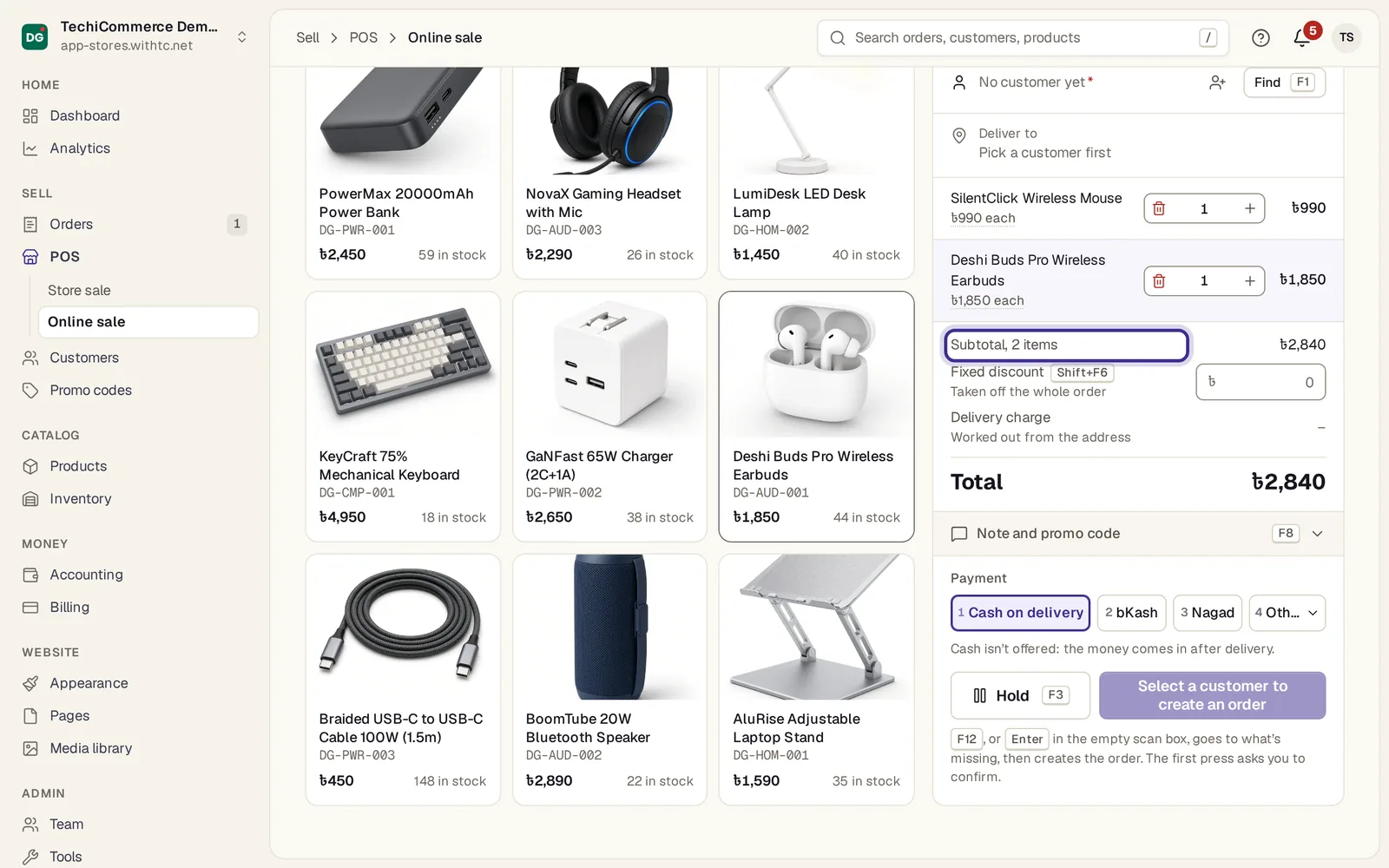
That entry needs very little:
- Who the customer is, found by name or phone number, so their history stays together.
- What they ordered, picked from your product list so stock goes down by itself.
- Where it goes.
- How they will pay, and whether they already have.
From then on the order has a status that everyone reads the same way: new, confirmed, packed, sent, delivered, paid. The packing team works from the list, not from forwarded screenshots.
What changes for the team
The person on the phone still talks to customers, but no longer has to be the memory of the business. Packing sees what to pack without asking. Whoever handles money sees which deliveries are still unpaid. And when a customer asks where their order is, anyone can answer in a few seconds.
It also changes what you can learn. With orders in one list you can finally see which products sell through chat, which days are busiest, and how many "yes" messages never turned into paid orders.
Things to decide before you build or buy
- One list for every channel. If chat orders, website orders and walk-in sales sit in three places, you have only moved the problem.
- Who may change a price or cancel an order, and whether that leaves a trace.
- What the customer receives after ordering: a confirmation message, an order number, a tracking link.
- What happens to stock when an order is cancelled or returned.
- How the list looks on a phone, because that is where your team will use it.
Our own product, Techi Commerce, works this way: online, shop and phone orders sit in one list and take stock from the same place. When a business needs something more particular, the same idea applies. Write down every way an order reaches you today, and what happens to it step by step. That page is the start of the scope.